Orders & kitchen
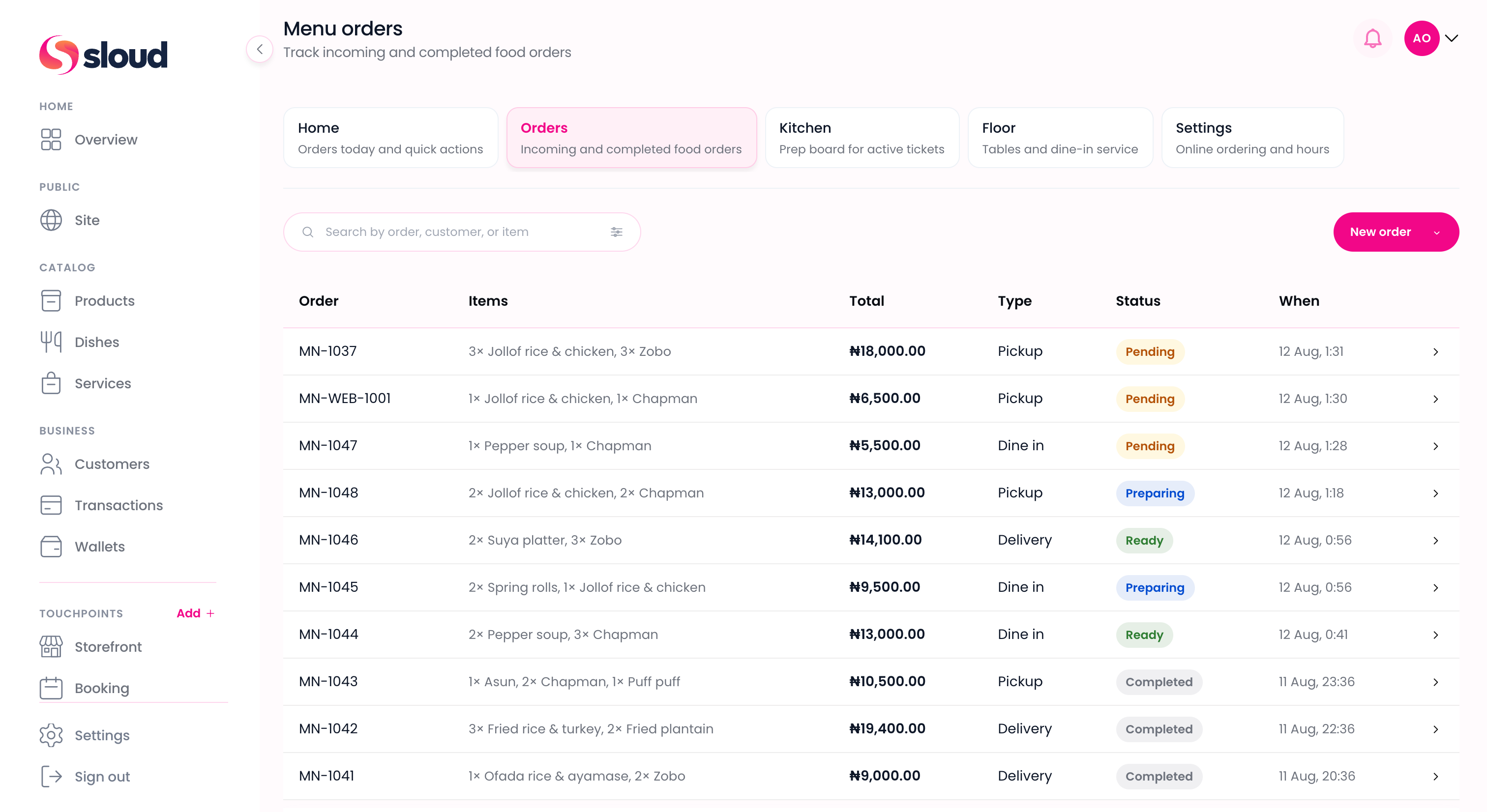
Take counter, dine-in, and online food orders. Send tickets through kitchen when you need prep visibility.
What you can do
Menu connects to your Dishes catalog, Customers, and Wallet. Start taking orders as soon as you activate.
Take counter, dine-in, and online food orders. Send tickets through kitchen when you need prep visibility.
Collect via Sloud Checkout when guests pay, or record cash and POS after payment.
Add dishes, combos, and modifiers. Menu uses your Dishes library in Catalog.
Enable the Menu module on your Site so customers can order online for pickup or delivery.
Site
Claim a Sloud link, customize your look, and publish when ready. When you enable the Menu module, customers order from your dish catalog and pay with Sloud Checkout.
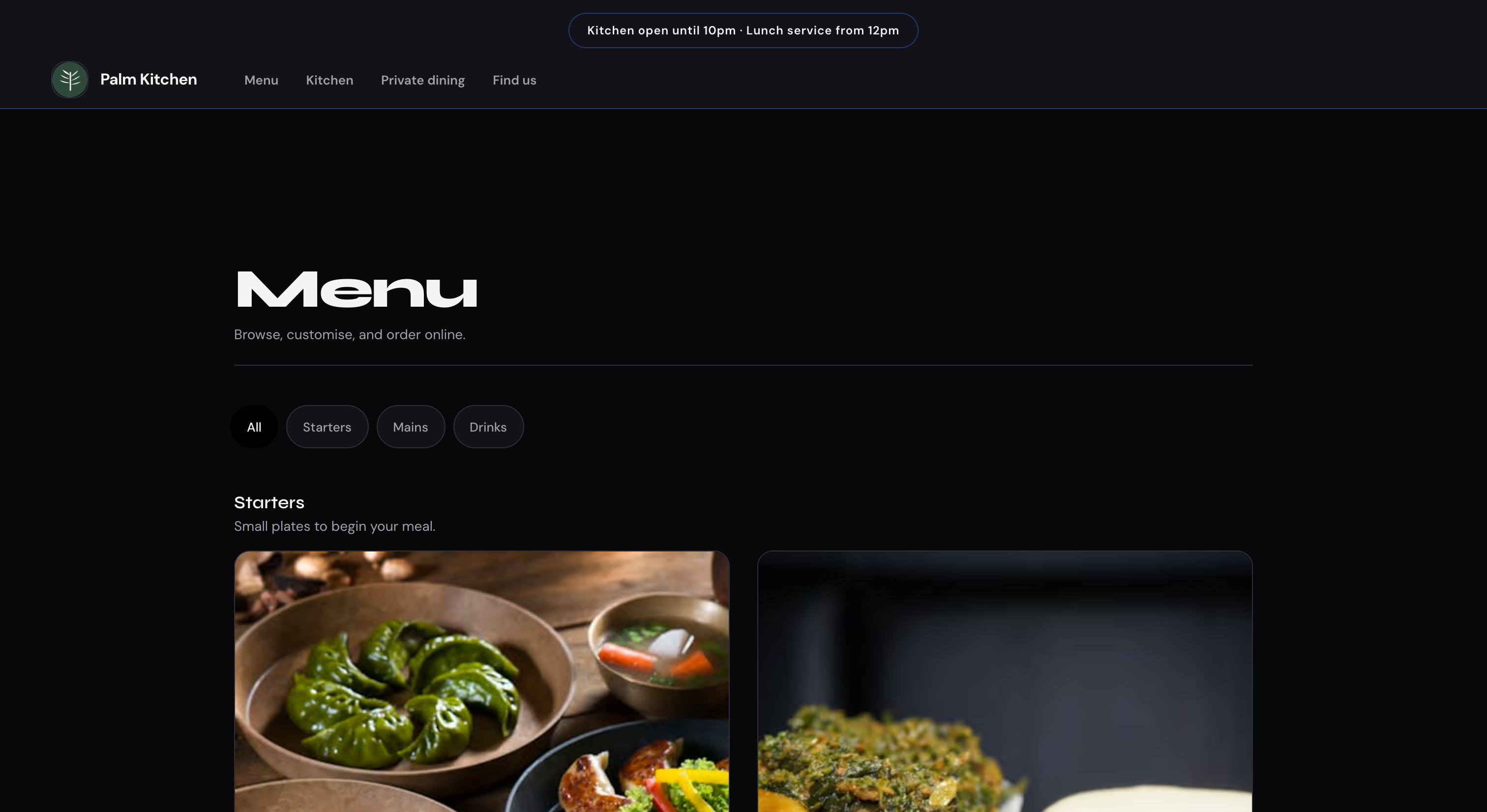
Counter · 01 / 02
Take counter, dine-in, and online food orders. Keep tickets moving through service.
Who it's for
Keep the line moving with fast order entry, kitchen visibility, and Sloud Checkout at the counter.
Catalog drinks and bakes, take counter and pre-orders, and open online ordering when you are ready.
Run dine-in and takeaway from Menu, manage floor when enabled, and publish online ordering on Site.
Get started
Create your account, add dishes, activate Menu, and verify for payouts. You can take orders before verification is complete.
Sign up in minutes with your business name, email, and phone number.
Create categories and dishes in Catalog → Dishes with modifiers and prices.
Run orders, kitchen, and floor in Sloudfront. Enable the Menu module on Site when you want online ordering.
Verify your business to unlock payouts and bank transfers. You can take orders before this step is done.
Answers



 Built in Nigeria