Appointments & schedule
Book sessions, manage your calendar, and keep walk-ins and regulars organized.
What you can do
Booking connects to your Services catalog, Customers, and Wallet. Start taking appointments as soon as you activate.
Book sessions, manage your calendar, and keep walk-ins and regulars organized.
Collect via Sloud Checkout on the appointment, including deposits. Or record cash and POS after payment.
Add services, packages, durations, and prices. Booking uses your Services library in Catalog.
Enable the Book module on your Site so clients can request appointments online.
Site
Claim a Sloud link, customize your look, and publish when ready. When you enable the Book module, clients book from your service catalog and pay with Sloud Checkout.
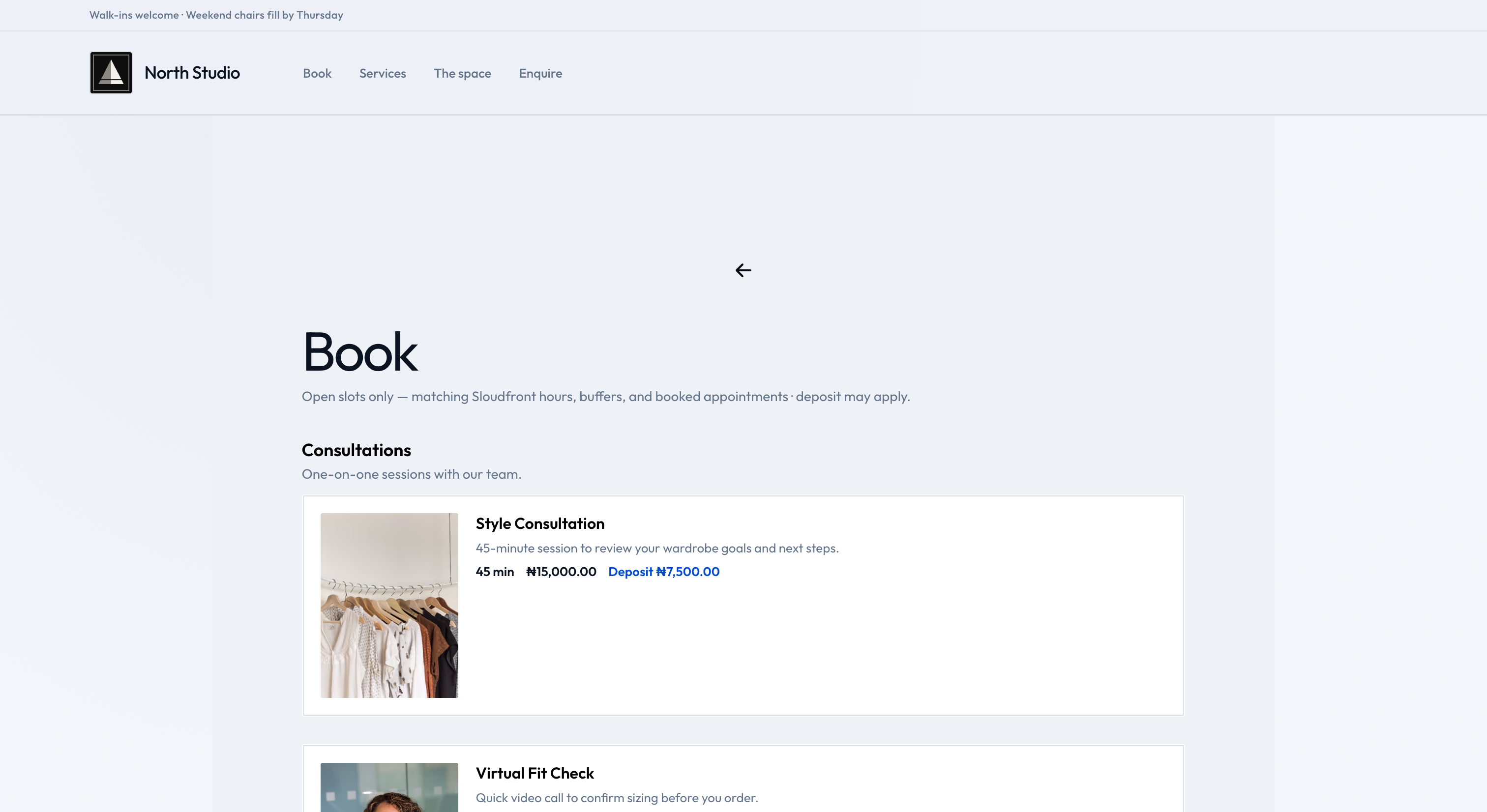
Chair side · 01 / 02
Manage appointments, walk-ins, and staff availability from one Booking calendar.
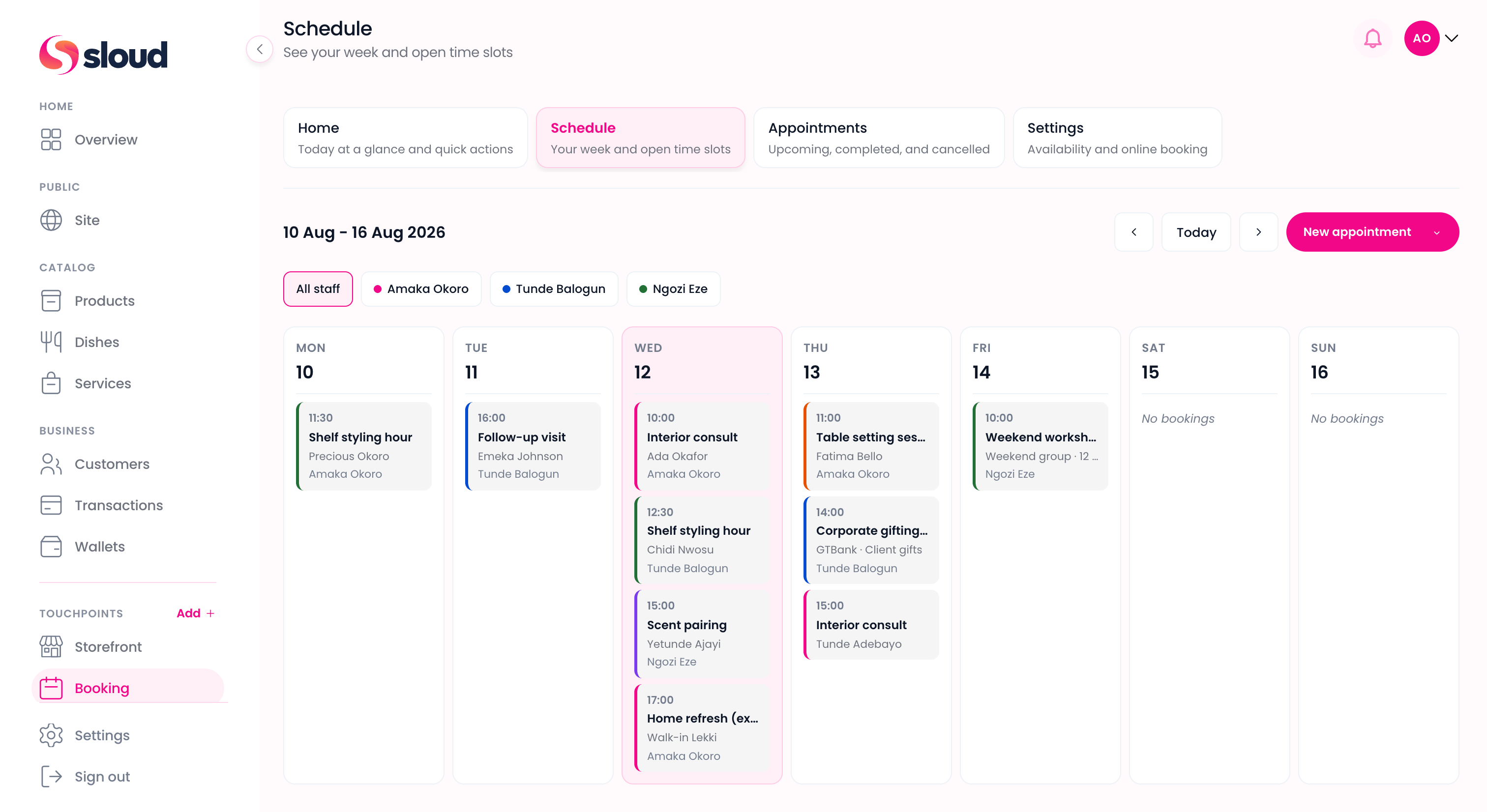
Who it's for
Run appointments, retail-free or with Storefront for products, and let clients book online from your Site.
Take walk-ins and regulars, collect at the chair with Sloud Checkout, and open online booking when you want.
MUAs, nail techs, tutors, and consultants: catalog services, book sessions, and get paid after every appointment.
Get started
Create your account, add services, activate Booking, and verify for payouts. You can take appointments before verification is complete.
Sign up in minutes with your business name, email, and phone number.
Create categories and services in Catalog → Services with durations and prices.
Manage appointments and schedule in Sloudfront. Enable the Book module on Site when you want online booking.
Verify your business to unlock payouts and bank transfers. You can take appointments before this step is done.

Answers



 Built in Nigeria